Update availability
Suspend or unsuspend a menu item (or other entity) on your integrated service when Otter requests it.
Before you begin
- Menus overview and webhook receiver ready
- Target service supports suspend/unsuspend for the entity type
Steps
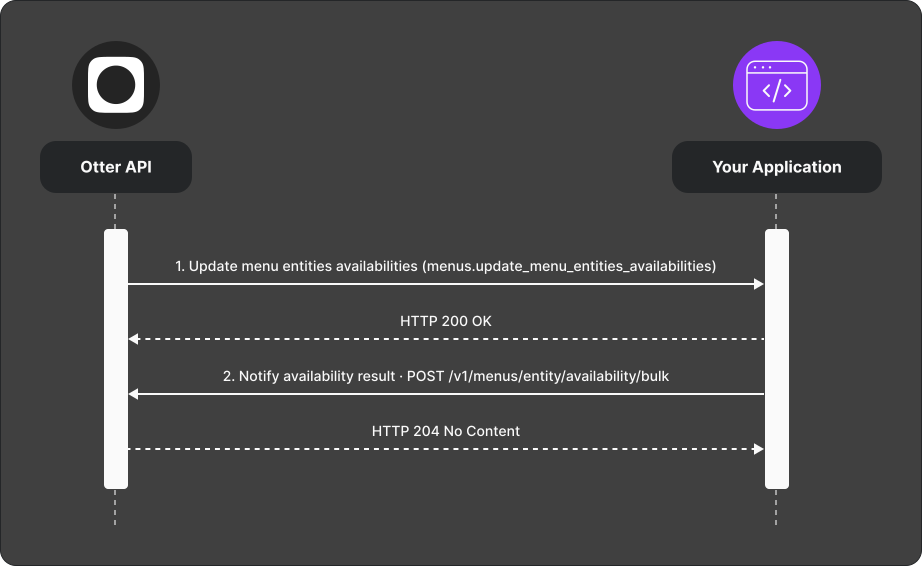
- Otter sends an Update menu entities availabilities (
menus.update_menu_entities_availabilities) webhook. - Apply suspend or unsuspend on the integrated service.
- POST the result to
POST /v1/menus/entity/availability/bulk.
Verify
Trigger a suspend; confirm the item is unavailable on the target and the callback succeeds.
Common failures
| Symptom | Likely cause | Fix |
|---|---|---|
| Callback rejected | Wrong entity id or store | Use ids from the webhook payload |
| Target unchanged | Operation failed on channel | Report failure with a user-friendly message |