Menus Manager
Own the menu catalog in your app and sync menus with Otter, then publish to connected targets.
Overview
Use Menus Manager when your integration is the primary editor of menus. You read and upsert menus via the API, track async jobs, publish to Otter-connected targets, and suspend or unsuspend entities.
How it fits
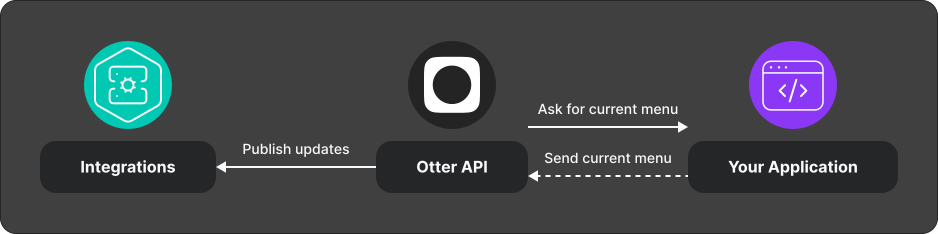
Integration overview
- Read and replace menus — send the complete desired menu snapshot; poll job status until
SUCCESSorFAILED. - Optionally publish to targets.
- Suspend or unsuspend entities, then republish to targets.
- Optionally sync manager menus with Otter menus and publish to OFO.
What you can call
| Capability | Notes |
|---|---|
| Get menus for a store | List available menus |
| Replace menus | Returns 202 with a pending async job; omitted or unreachable customer-menu entities are deleted, so send the complete desired state |
| Get async menu job status | Poll GET /v1/menus/jobs/{jobId} |
| Get publish targets | List targets and last publish status per store |
| Publish menus to targets | Async publish job per target |
| Sync manager menus | Bulk sync + optional publish |
| Suspend / unsuspend entities | IDs must match upsert ids; republish to propagate |
Endpoint details: API reference.
Test
- Replace a small test menu; poll until the job completes, then remove one entity from the full payload and verify it is deleted.
- Publish to one test target and confirm status via publish-targets.
Every included item must carry its intended availability status. On legacy
menus, FOR_SALE clears an existing suspension and suspended statuses replace
the current suspension. Confirm equivalent behavior for template-enabled stores
during onboarding.
Related
Next
Implement Read and upsert menus, then wire publish and suspend flows before go-live.