Onboard an organization
Let merchants authorize your app and connect stores using OAuth and the organization API.
Overview
Store onboarding requires the store owner to authorize your application (OAuth Authorization Code flow). You browse organization → brand → store hierarchy, then create a connection that maps Otter’s store to your storeId.
Before you begin
- OAuth client configured for your application
- User can sign in and grant access
- You know the
storeIdyour system uses for each location
Organization structure
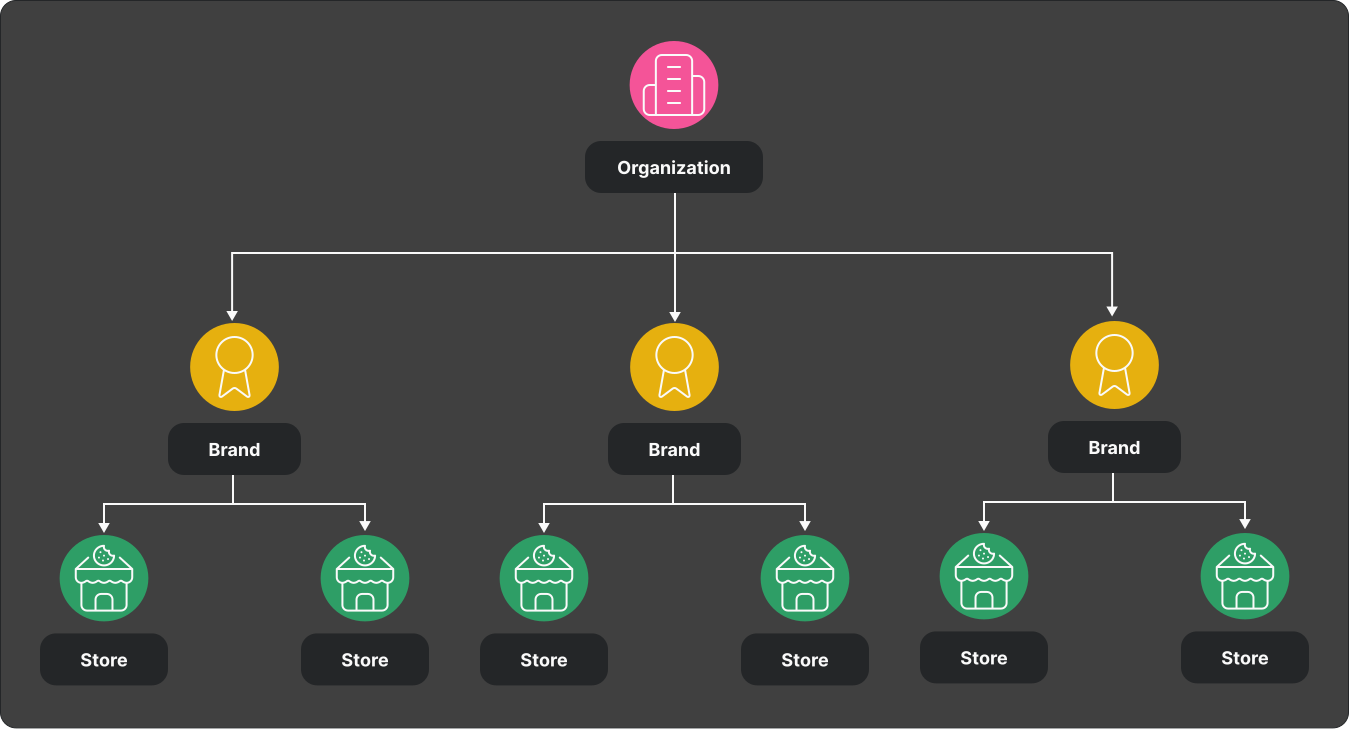
| Endpoint | Purpose |
|---|---|
GET /organization/v1/organization | Current user’s organization |
GET /organization/v1/organization/brands?limit=100 | List brands |
GET /organization/v1/organization/brands/{brandId} | Brand detail |
GET /organization/v1/organization/brands/{brandId}/stores?limit=100 | List stores |
GET /organization/v1/organization/brands/{brandId}/stores/{storeId} | Store detail |
Steps
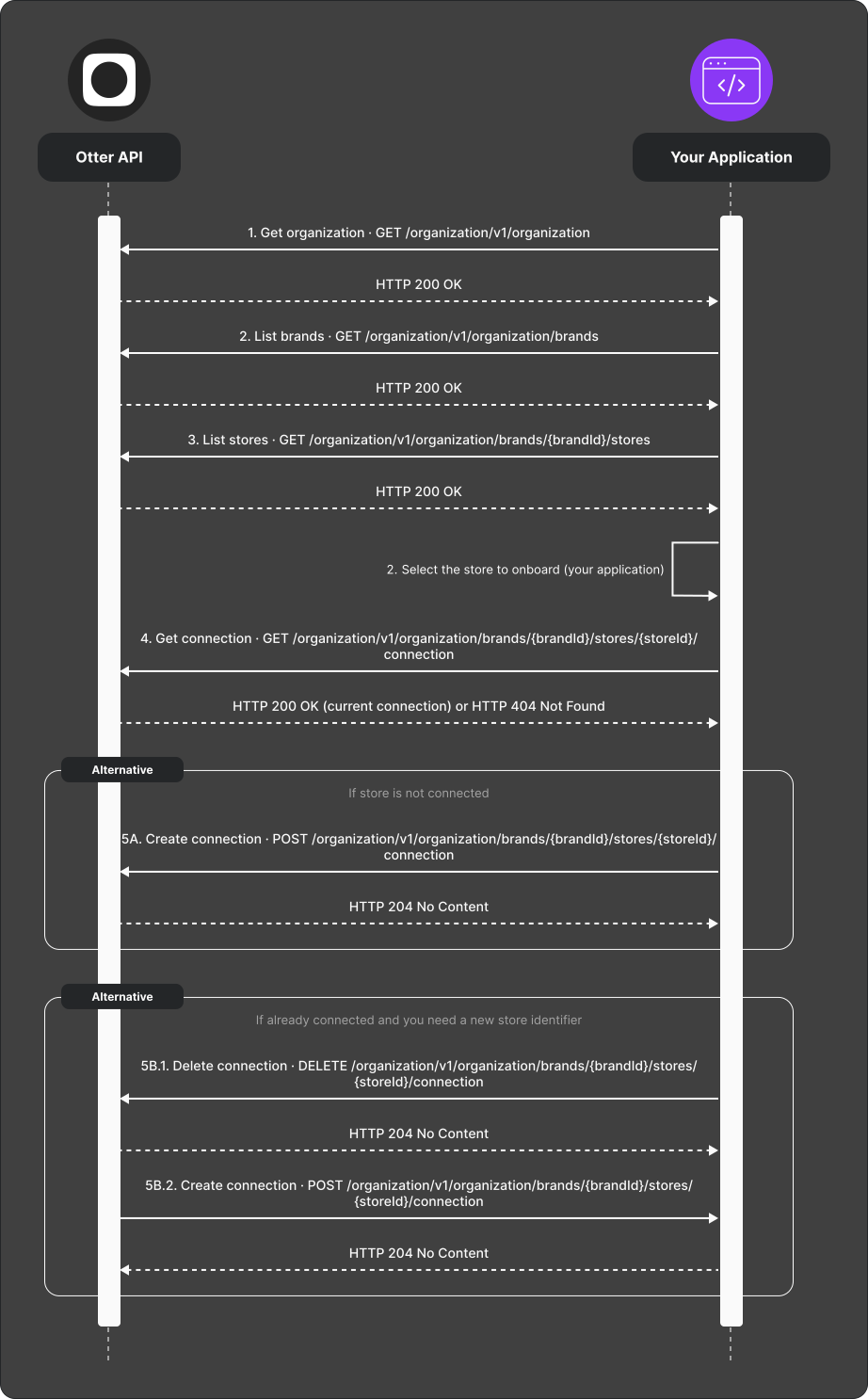
- Fetch organization structure (endpoints above).
- Select the store to onboard.
GET /organization/v1/organization/brands/{brandId}/stores/{storeId}/connection.- Connect the store:
- 404 —
POST /organization/v1/organization/brands/{brandId}/stores/{storeId}/connectionwith yourstoreIdin the body. - Already connected, wrong id —
DELETE /organization/v1/organization/brands/{brandId}/stores/{storeId}/connection, thenPOSTwith the newstoreId.
Verify
Complete OAuth, connect one store, and confirm store-scoped API calls work with X-Store-Id.