Cancel a delivery
Cancel an in-flight delivery when Otter requests it before the job is fulfilled.
Before you begin
- Active delivery with known
deliveryReferenceId - Create a delivery flow in place
Steps
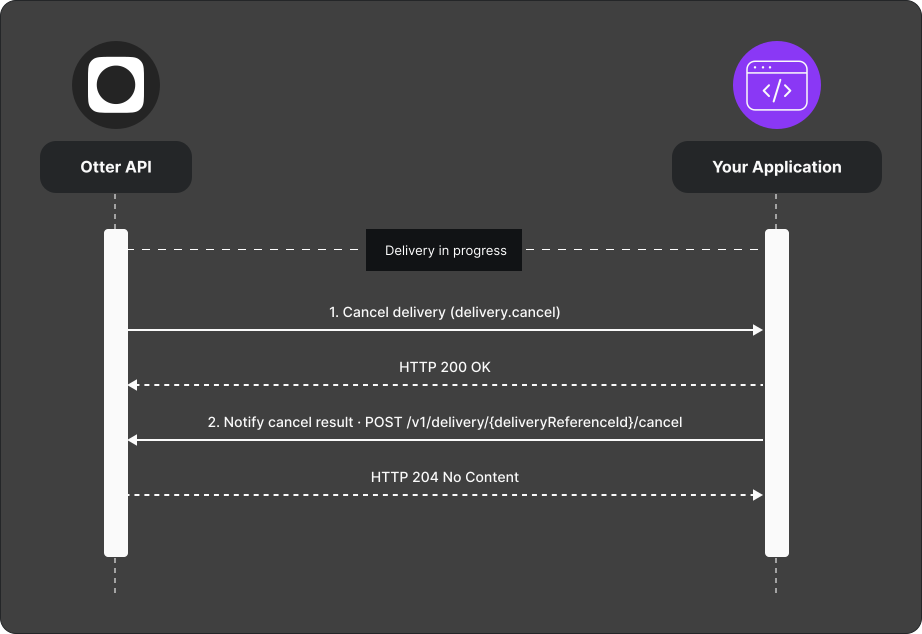
- Otter sends a Cancel delivery (
delivery.cancel) webhook. - Process cancel on your logistics side.
- When cancellation succeeds, POST the result to
POST /v1/delivery/{deliveryReferenceId}/cancel. Respond promptly; Otter currently waits up to 45 seconds. - When cancellation fails, use
POST /v1/delivery/callback/error. The cancellation callback has no decline state.
Verify
Cancel a test delivery and confirm the success callback returns 204. Replay
the stored callback with the same event ID and confirm it returns 409.