Deprecated
The Reports API and its guides are deprecated and may be removed in a future release. Contact your Otter representative for migration options.
Report with a notification
Download a report when Otter calls your webhook with the file URL.
Before you begin
- Report generated (
reports.report_generated) webhook registered for your application - Reports overview
Steps
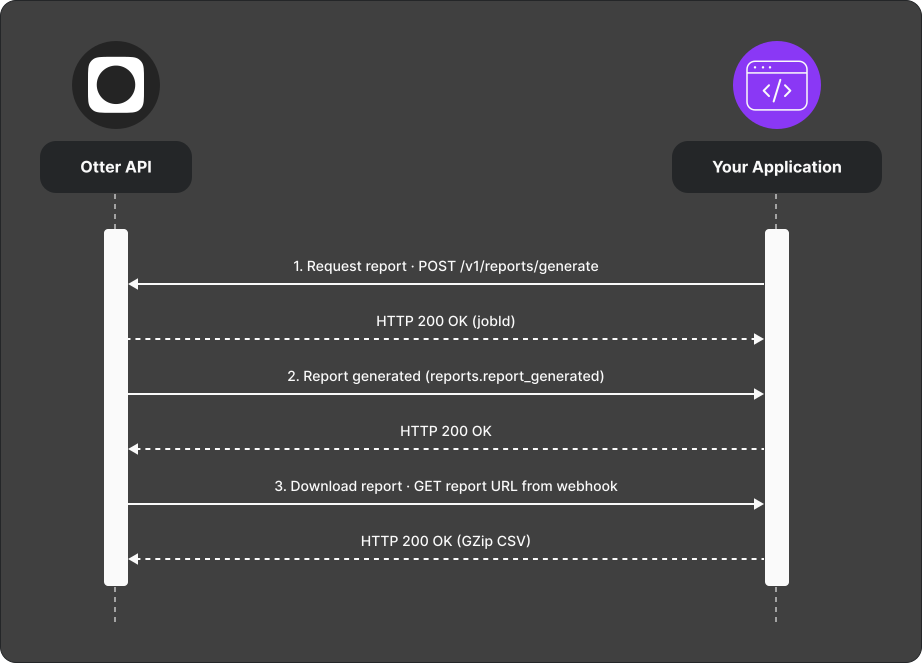
POST /v1/reports/generatewith report type, an inclusive UTC start/end date range, and filters. Retain the returnedjobId.- Otter calls your Report generated (
reports.report_generated) webhook with a download URL when the report is ready. - If the best-effort webhook is missed, poll
GET /v1/reports/{jobId}. - Download the comma-delimited UTF-8 CSV promptly. Otter returns
EXPIREDtwo days after workflow completion.
Verify
Generate a small date-range report; webhook fires and file downloads successfully.